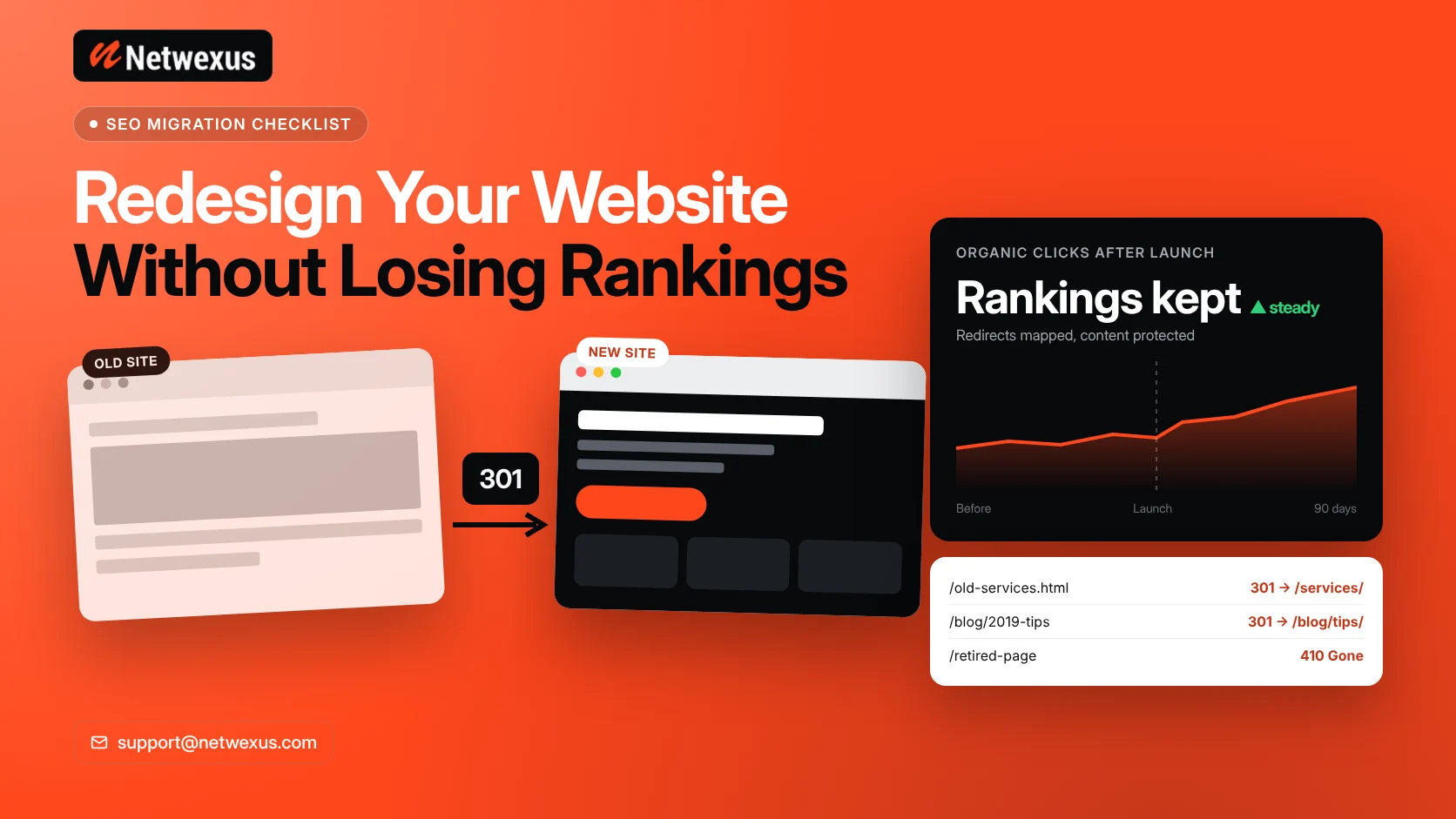
A website redesign should bring you more leads, not fewer. Yet many businesses launch a beautiful new site and then watch their Google traffic drop within weeks. The design was not the problem. The problem was that URLs changed, pages disappeared and search engines lost the signals they had trusted for years.
This guide walks through how to redesign a website without losing SEO rankings, step by step, from the first audit to the weeks after launch.
Why Redesigns Hurt SEO
Google ranks individual URLs, not “your website” as a whole. Each ranking page has history: backlinks pointing to it, internal links, content that matches search intent and engagement data. When a redesign changes any of these without a plan, rankings can fall. The most common causes are:
- Changed URLs with no redirects, so old links and bookmarks hit 404 pages.
- Removed or merged content that used to rank for valuable keywords.
- Lost metadata, such as title tags, meta descriptions and schema.
- Weaker internal linking after menus and footers are simplified.
- Slower pages caused by heavy images, sliders or scripts.
- A staging site left on “noindex” or blocked in robots.txt after launch.
Phase 1: Before You Redesign
1. Benchmark Your Current Performance
Export the last 12 months of data from Google Search Console and Google Analytics. Record organic sessions, conversions, top landing pages and the queries that drive clicks. Without a benchmark, you cannot tell whether the new site improved anything.
2. Crawl and Inventory Every URL
Use a crawler such as Screaming Frog to list every URL on the current site, including blog posts, PDFs and image files. Add URLs from Search Console and your XML sitemap, since crawlers can miss orphan pages.
3. Identify Your Most Valuable Pages
Sort pages by organic clicks, conversions and backlinks. These pages need the most protection. Their content, URL and on-page SEO should change only when there is a clear reason.
4. Decide What to Keep, Merge or Remove
Not every old page deserves to survive. Thin or outdated pages can be merged into stronger ones. Pages with no traffic, no links and no business value can be retired with the right status code.
Phase 2: Build the Redirect Map
The redirect map is the single most important SEO document in a redesign. It is a simple spreadsheet with two columns: old URL and new URL.
- Use 301 redirects for pages that moved. A 301 tells search engines the move is permanent and passes ranking signals to the new URL.
- Redirect to the closest match, not the homepage. Redirecting everything to the homepage is often treated as a soft 404.
- Use 410 Gone for pages removed on purpose with no replacement. It tells Google the page is gone for good.
- Avoid redirect chains such as A to B to C. Point every old URL directly to its final destination.
- Keep URLs that already work. The safest redirect is the one you never need.
Phase 3: Protect On-Page SEO in the New Design
- Carry over title tags, meta descriptions and focus keywords for ranking pages, then improve them where needed.
- Keep one H1 per page and a logical heading order.
- Do not cut the content that ranks. If the new design needs shorter pages, use tabs or accordions carefully and keep the text in the HTML.
- Keep or improve internal links between related services, industries and blog posts.
- Rebuild structured data such as Organization, LocalBusiness, Article, FAQ and Breadcrumb schema.
- Write descriptive alt text for every new image.
Phase 4: Test on Staging Before Launch
Build the new site on a staging environment and block it from search engines while you work. Before launch, test:
- Every redirect in your map returns the correct 301 or 410.
- Page speed on mobile and desktop, including Core Web Vitals.
- Mobile layout on real phones, with no horizontal scrolling.
- Forms and tracking, so leads and conversions are not lost.
- Canonical tags point to the live domain, not the staging domain.
Our technical SEO services include this kind of pre-launch audit for redesign projects.
Phase 5: Launch Day Checklist
- Remove “noindex” and turn off “Discourage search engines” in WordPress.
- Check robots.txt does not block important sections.
- Replace any remaining staging URLs in content and the database.
- Submit the new XML sitemap in Google Search Console.
- If the domain changed, use the Change of Address tool in Search Console.
- Clear every cache layer: plugin, server and CDN.
Phase 6: Monitor the First 90 Days
Some ranking movement after launch is normal while Google recrawls the site. Watch these signals closely:
- Search Console Pages report: Look for spikes in “Not found (404)” or “Excluded by noindex.”
- Organic clicks and impressions compared with your benchmark.
- Top landing pages: Make sure each one still ranks and converts.
- New 404s: Add redirects for any old URL you missed.
Keep in mind that the “Page with redirect” and “Alternate page with proper canonical” reports in Search Console are usually normal after a redesign. They list old or duplicate URLs, not broken pages.
Common Redesign SEO Mistakes to Avoid
- Changing URL structure just to make it “cleaner” without a business reason.
- Launching on a Friday, when nobody is available to fix problems.
- Deleting old blog posts that still earn backlinks.
- Replacing text-rich pages with image-heavy designs.
- Forgetting to redirect old image and PDF URLs that rank in Google Images.
Frequently Asked Questions
Will a website redesign affect my SEO?
It can, positively or negatively. With a redirect map, protected content and a pre-launch audit, most redesigns hold their rankings and often improve them thanks to better speed and structure.
How long does it take for rankings to recover after a redesign?
Small fluctuations often settle within a few weeks. Larger sites or projects with many URL changes can take a few months as Google recrawls and processes redirects.
Should I use 301 redirects or 410 for removed pages?
Use a 301 when a relevant replacement page exists. Use a 410 when the page was removed on purpose and there is no close match.
Do I need to keep redirects forever?
Keep redirects in place for at least a year, and longer for pages that have external backlinks. Removing them early can bring old 404 errors back.
Plan Your Redesign With SEO Built In
A redesign is the perfect moment to improve speed, structure and conversions, as long as SEO is part of the plan from day one. Our team handles website development and SEO together, so your new site launches with its rankings protected. Request a free quote to get started.