You can spend thousands of dollars on Google Ads, Facebook campaigns and SEO, but if visitors land on a weak page, most of that money leaves with them. A landing page has one job: turn a visitor into a lead or a customer. Good landing page design makes that job easy.
This guide covers the landing page design best practices that matter most in 2026, from the first headline to page speed, with practical examples you can apply to your own pages.
What Is a Landing Page?
A landing page is a standalone page built around a single goal, such as booking a call, requesting a quote, starting a trial or buying one product. Unlike a homepage, which introduces your whole business, a landing page removes distractions and focuses on one offer for one audience.
Most landing pages fall into two types:
- Lead generation pages collect contact details through a form, common for service businesses and B2B companies.
- Click-through pages warm visitors up and send them to a checkout or sign-up step, common in e-commerce and SaaS.
12 Landing Page Design Best Practices
1. Match the Message to the Traffic Source
If your ad says “Same-Day Plumbing in Newark,” the landing page headline should say the same thing. This is called message match. When the page confirms what the visitor clicked on, they stay. When it does not, they leave within seconds.
2. Write a Headline That States the Outcome
Your headline should explain what the visitor gets, not what you do. “Get a Website That Brings You Booked Appointments” is stronger than “Professional Web Design Services.” Follow it with a subheadline that adds one specific detail, such as speed, price or proof.
3. Put the Primary Call to Action Above the Fold
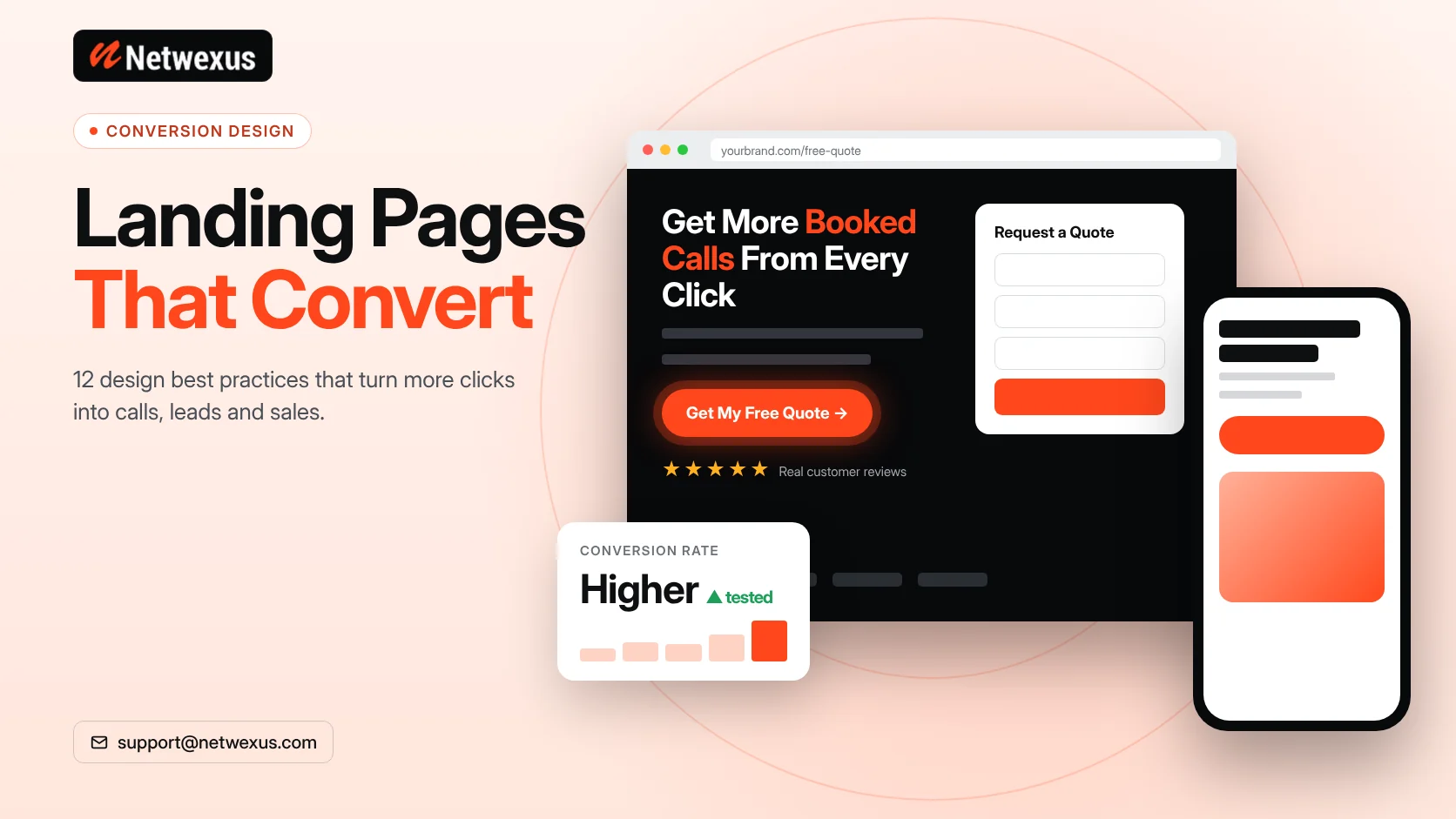
Visitors should see what to do without scrolling. Use one clear button with action-focused text like “Get My Free Quote” or “Book a 15-Minute Call,” and repeat it further down for people who need more information first.
4. Use One Goal Per Page
Every extra link is an exit. Remove the main navigation menu, extra offers and unrelated links. If you have three services, build three landing pages instead of one page with three buttons.
5. Keep Forms Short
Ask only for what you need to follow up. For many service businesses, name, email, phone and one qualifying question are enough. Every extra field adds friction, especially on mobile.
6. Show Real Social Proof
Genuine reviews, client logos, case study results and ratings from Google or industry platforms build trust fast. Place proof close to the call to action, where hesitation is highest. Never invent testimonials or numbers; visitors and regulators both notice.
7. Use Visuals That Show the Result
A product in use, a before-and-after comparison or a short demo video explains your offer faster than paragraphs of text. Avoid generic stock photos that could appear on any website.
8. Focus on Benefits, Then Features
Lead with how your offer improves the customer’s situation, then support it with features. “Launch in 30 days so you stop losing leads to competitors” works better than “We use agile development.”
9. Design for Mobile First
A large share of paid and organic traffic in the US comes from phones. Use large tap targets, short paragraphs, a sticky call button where it makes sense and forms that trigger the right mobile keyboard for email and phone fields.
10. Make It Load Fast
Slow pages lose visitors before they see your offer, and Google Ads factors landing page experience into Quality Score. Compress images, serve WebP, limit third-party scripts and keep Largest Contentful Paint under 2.5 seconds, Google’s threshold for a “good” score.
11. Use Visual Hierarchy and White Space
Guide the eye with size, contrast and spacing: headline, benefit, proof, call to action. Give each section room to breathe, and use a contrasting color for buttons so they stand out from everything else on the page.
12. Answer Objections With an FAQ
Price, timeline, contracts and “what happens next” are the questions that stop people from converting. A short FAQ near the bottom answers them without a sales call, and it can also help the page appear for long-tail searches.
The Anatomy of a High-Converting Landing Page
Here is a proven order for a lead generation landing page:
- Hero: Headline, subheadline, primary call to action and a supporting visual.
- Trust bar: Client logos, ratings or certifications.
- Problem and solution: The pain your visitor feels and how you fix it.
- Benefits: Three to five outcomes with short explanations.
- How it works: A simple three-step process.
- Proof: Testimonials, case studies or project examples.
- FAQ: The objections that block decisions.
- Final call to action: Repeat the offer and the form.
Landing Pages and SEO: Do They Work Together?
Many paid landing pages are set to noindex because they target ads, not search. But service pages built with landing page principles can rank very well. The key is to combine conversion design with real depth: unique copy, answers to common questions, internal links to related pages and proper on-page SEO. Our on-page SEO services focus on exactly this balance.
How to Test and Improve Your Landing Page
- Set up conversion tracking in Google Analytics 4 and your ad platforms before launch.
- Watch session recordings and heatmaps to see where visitors stop scrolling or hesitate.
- A/B test one element at a time, such as the headline, button text or form length.
- Give tests enough traffic to reach meaningful results before declaring a winner.
- Review mobile and desktop separately, since behavior often differs.
Common Landing Page Mistakes
- Sending ad traffic to the homepage instead of a focused page.
- Vague headlines like “Welcome to Our Company.”
- Multiple competing calls to action.
- Long forms that ask for budget, company size and job title upfront.
- Heavy sliders and videos that slow the page down.
- No proof, no FAQ and no clear next step.
Frequently Asked Questions
What is a good landing page conversion rate?
It depends heavily on industry, offer and traffic source. Unbounce’s Conversion Benchmark Report put the median landing page conversion rate across industries at around 6.6%. Compare your page against your own past results first, then against your industry.
How long should a landing page be?
Simple, low-cost offers can convert on short pages. Higher-priced or complex services usually need longer pages with more proof and answers. Let the decision you are asking for set the length.
Should a landing page have a navigation menu?
For paid campaigns, removing the navigation usually keeps visitors focused. For organic service pages, a light header can help users explore related pages.
Can I build landing pages in WordPress?
Yes. WordPress with a page builder like Elementor makes it easy to create fast, on-brand landing pages that your team can edit without code.
Turn More Visitors Into Customers
A well-designed landing page makes every marketing dollar work harder. If you want pages that look great, load fast and convert, our team can design and build them for you. Explore our front-end development services or request a free quote.