Your homepage is the front door of your business online. In a few seconds, it needs to tell visitors who you are, what you offer, why they should trust you and what to do next. When it does that well, visitors keep exploring. When it does not, they hit the back button.
This guide covers what to include on a business homepage in 2026, the ideal order of sections and the design mistakes that cost you leads.
What a Homepage Needs to Do
- Explain what you do and who you serve, instantly.
- Build trust with proof.
- Guide visitors to the right next page.
- Make it easy to contact you or buy.
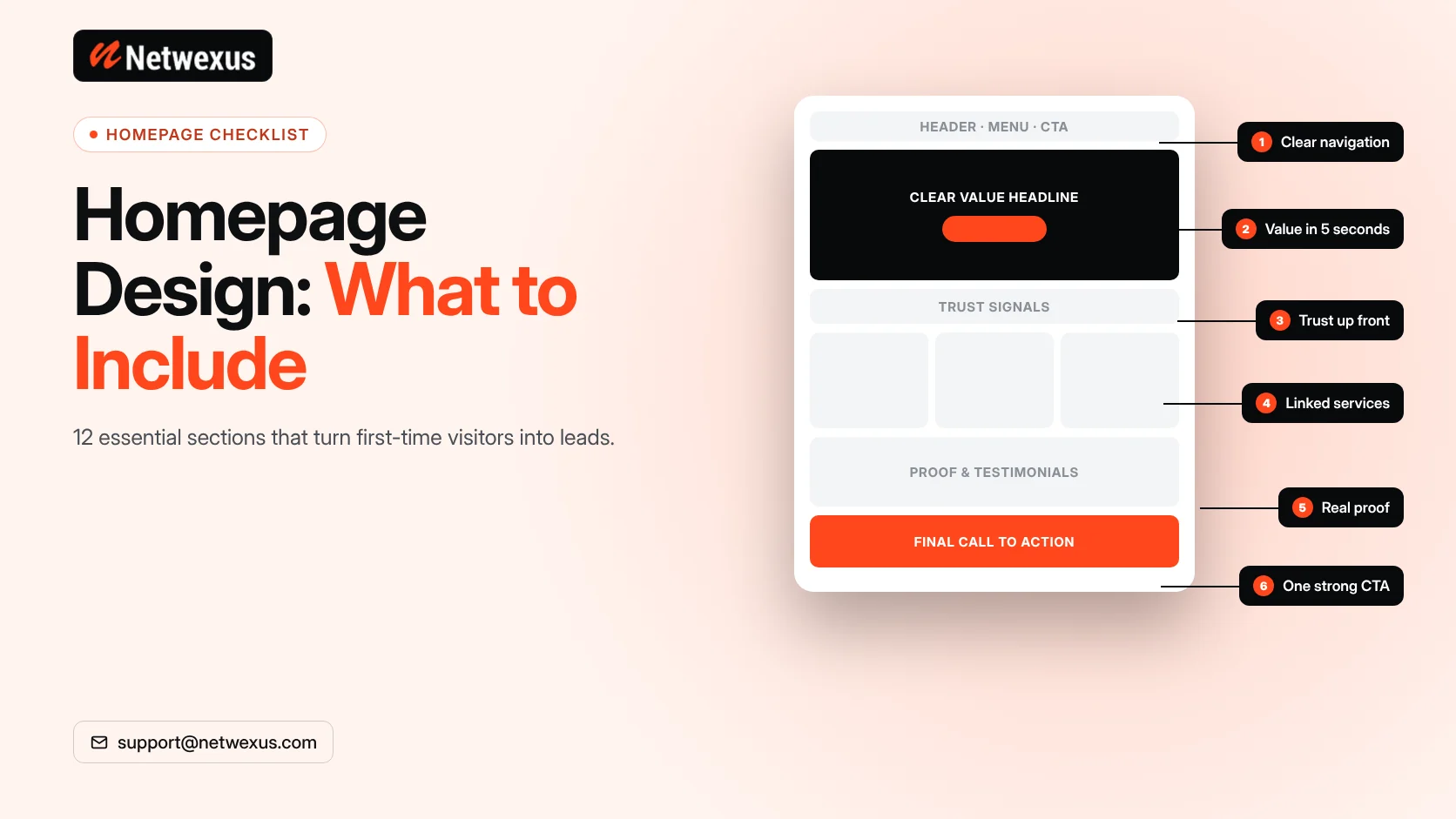
12 Essential Homepage Elements
1. A Clear Header and Navigation
Logo on the left, a short menu with your main pages and a visible call-to-action button. Keep menu labels simple: Services, About, Projects, Blog, Contact.
2. A Hero Section That Explains Your Value
A headline that states the outcome you deliver, a supporting line with specifics and a primary call to action. Visitors should understand your business without scrolling.
3. A Primary Call to Action
One main action, such as “Get a Free Quote” or “Book an Appointment”, repeated at logical points down the page.
4. Trust Signals
Genuine reviews, client logos, certifications, awards or years in business. Place them close to the top so trust is built early.
5. Services or Products Overview
Short cards that summarize each main service and link to its dedicated page. This helps visitors and spreads internal links to your key pages.
6. Who You Serve
Show the industries, customer types or locations you work with so visitors quickly see they are in the right place.
7. How It Works
A simple three or four step process removes uncertainty about working with you.
8. Proof of Results
Case studies, project examples or before-and-after stories. Real outcomes are more persuasive than claims.
9. Testimonials
Short, specific quotes from real customers, ideally with names and companies. Never invent testimonials.
10. FAQ
Answers to common questions about price, timeline and process reduce friction before contact.
11. Final Call to Action
Close with a strong invitation to take the next step, plus a form or button.
12. A Useful Footer
Contact details, key links, service areas, privacy policy and social profiles.
Homepage SEO Basics
- Use one H1 that includes your main service and, if relevant, your location.
- Write a unique title tag and meta description.
- Include enough descriptive text for Google to understand what you do.
- Add Organization or LocalBusiness schema.
- Link to your most important service pages.
- Keep the page fast: compress images and avoid heavy sliders.
Homepage Design Mistakes to Avoid
- Vague headlines like “Welcome to our website” that say nothing about your offer.
- Auto-rotating sliders that hide key messages and slow the page.
- Too many calls to action competing for attention.
- Stock photos that could belong to any company.
- Walls of text with no visual hierarchy.
- Poor mobile layout, where buttons are hard to tap or text is too small.
Designing for Mobile First
Many visitors will see your homepage on a phone first. Prioritize the hero message and call to action, use large tap targets, keep paragraphs short and make your phone number or contact button easy to reach. Our guide to landing page design best practices covers many of the same principles.
Frequently Asked Questions
How long should a homepage be?
Long enough to explain your offer, build trust and guide visitors onward. Most business homepages have six to ten sections.
Should my homepage have a contact form?
A short form or a clear button to your contact page near the bottom works well, especially for service businesses.
How often should I update my homepage?
Review it at least yearly, and update it whenever your services, proof or offers change.
Build a Homepage That Converts
We design homepages that look sharp, load fast and turn visitors into leads. Explore our website development services or request a free quote.